
Launching Compute Instance
How to Launch a Compute Instance
Prerequisite
Instructions
1. Enter the Project

2. Navigate to the Compute Instance Page

3. Open the Launch Compute Instance Window

4. Configure Compute Instance Details

5. Select the Compute Instance Source

5.1 Customize the Deployment Script (if selected)

6. Select the Machine Type

7. Configure Storage

8. Configure Networking

9. Configure Security

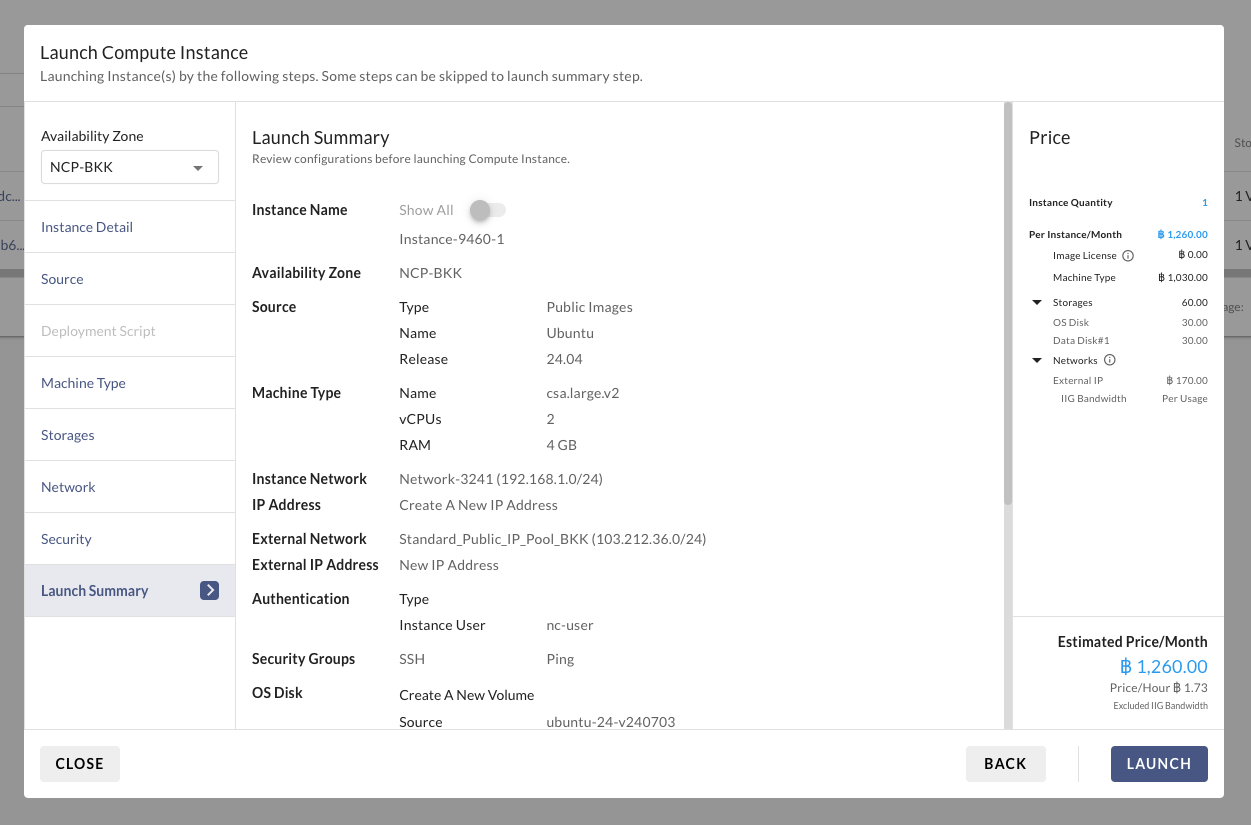
10. Review Instance Configuration

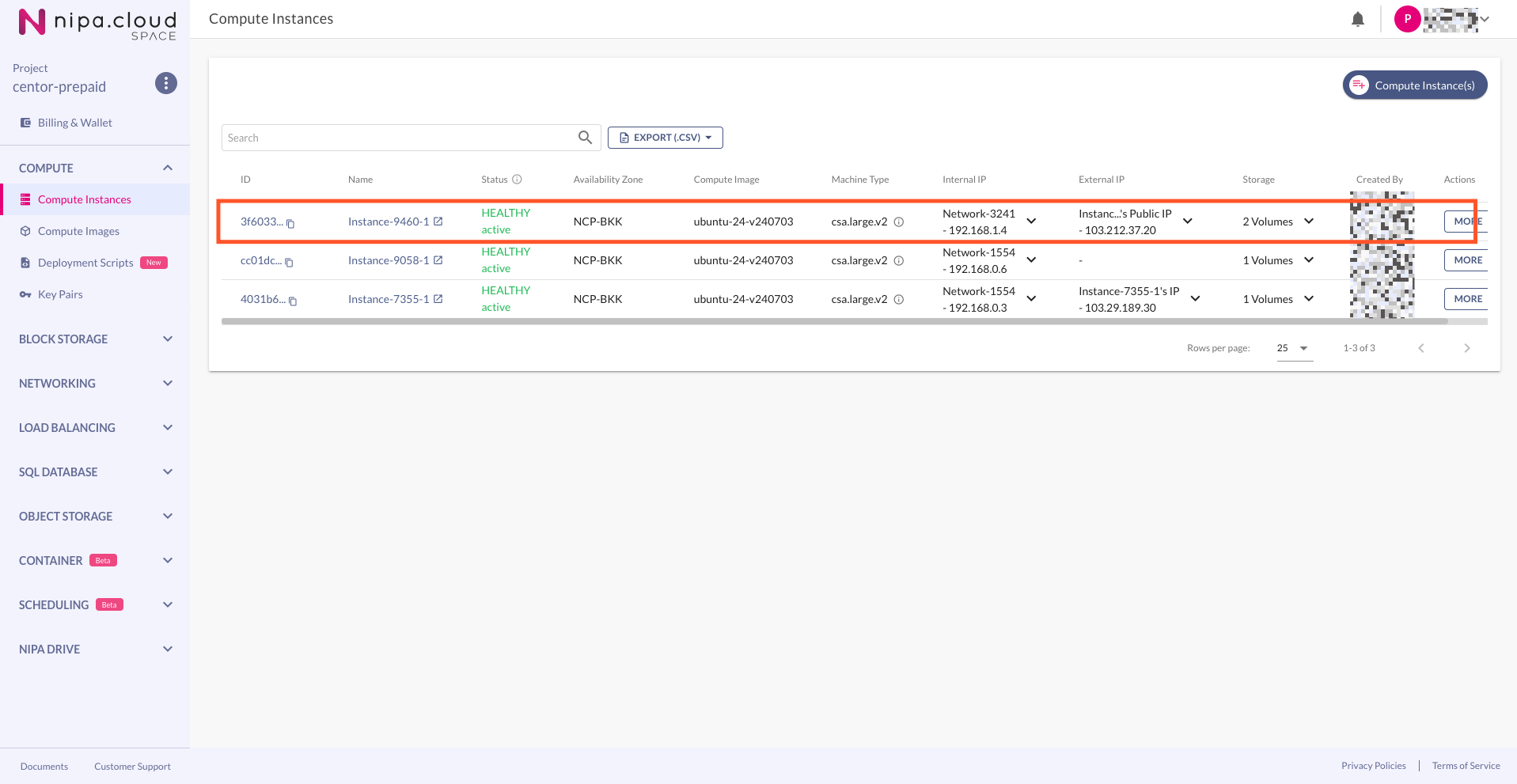
9. Wait for the Instance to Become Active
Last updated