# Using Application Load Balancing

## Prerequisite

* The project's wallet balance must be greater than 0 ([see how to top up a project's wallet](https://docs-epc.gitbook.io/ncs-documents/ncs-documents-en/nipa-cloud-space-overview/billing-and-wallet/topup-a-project-wallet)).
* A ready-to-use Load Balancer must exist ([see how to create a Load Balancer](https://docs-epc.gitbook.io/ncs-documents/ncs-documents-en/load-balancing/load-balancer/create-load-balancer)).

## Instructions

### 1. **Go to the Backend Group creation page**

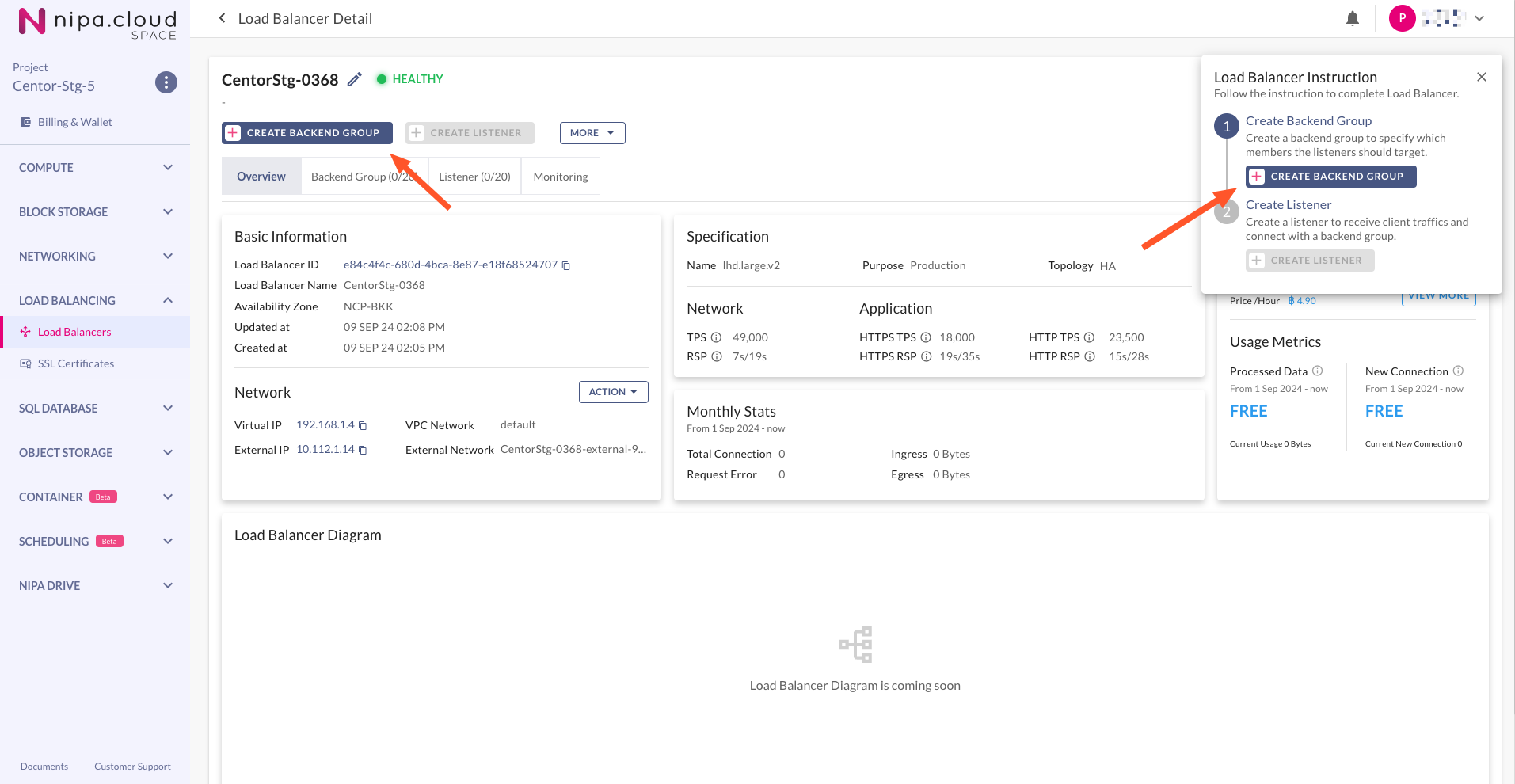
On the Load Balancer Detail page, under the "Overview" tab, click the **CREATE BACKEND GROUP** button in the top menu bar or in the instruction card on the top right.

<figure><img src="https://content.gitbook.com/content/4csDFrNQz0Q4tDnx3xyT/blobs/OW46FmAjfajSQFiTkjcT/image.png" alt=""><figcaption><p>Load Balancer Overview - Create Backend Group Button</p></figcaption></figure>

### 2. **Configure the Backend Group**

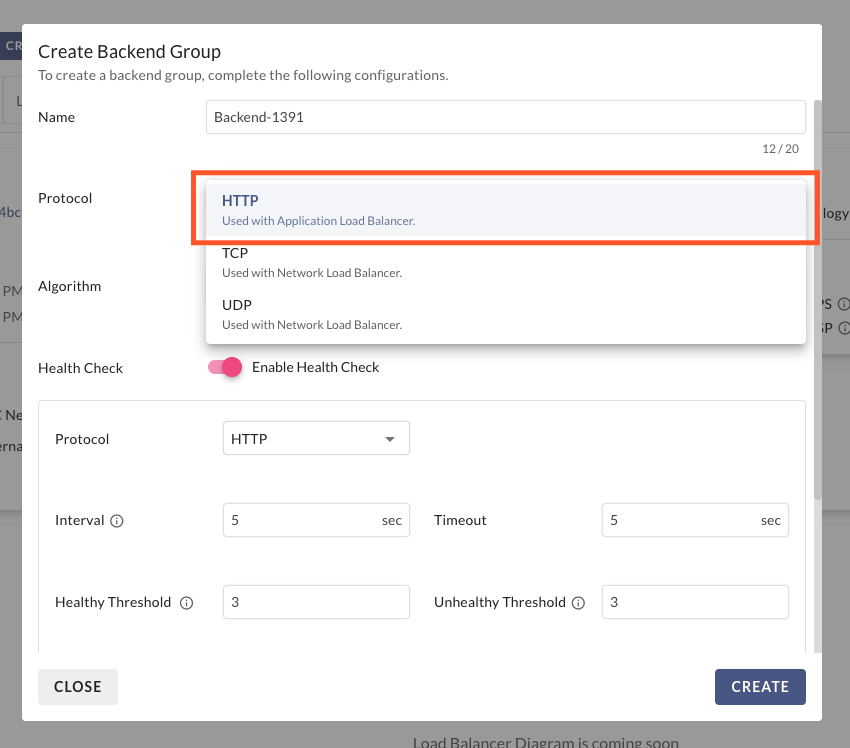
On the "Create Backend Group" page, select the protocol as **HTTP**. This can be used with listeners that accept traffic using either HTTP or HTTPS. Also, provide a **Name** and select a load balancing **Algorithm** for the Backend Group.

<figure><img src="https://content.gitbook.com/content/4csDFrNQz0Q4tDnx3xyT/blobs/0EJi6MM44Ei0oPctLRT4/image.png" alt=""><figcaption><p>Create Backend Group - Backend Group</p></figcaption></figure>

### 3. **Configure Health Check**

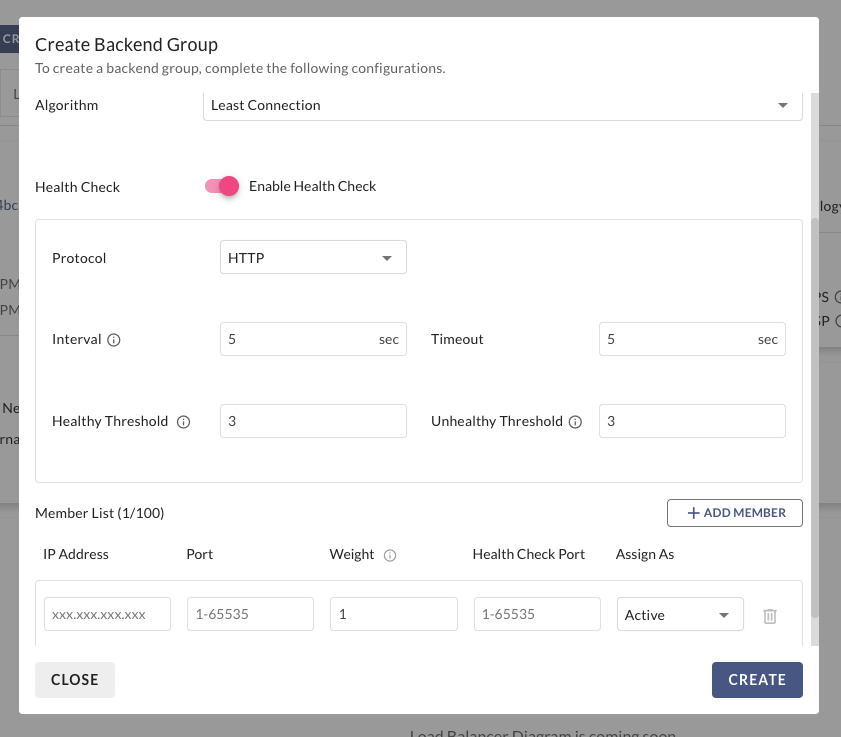
Choose whether to enable a Health Check, which will monitor the status of the members within the Backend Group. Configure the frequency and type of the health check.

<figure><img src="https://content.gitbook.com/content/4csDFrNQz0Q4tDnx3xyT/blobs/AvWWQdnySzlyJ4Pok7xX/image.png" alt=""><figcaption><p>Create Backend Group - Health Check</p></figcaption></figure>

### 4. **Configure Members**

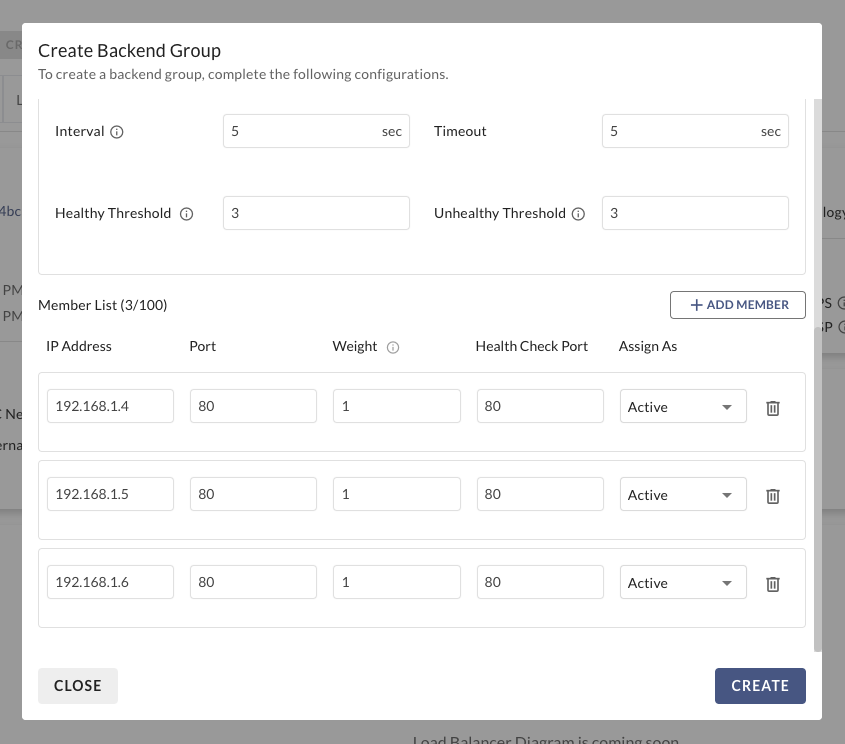
Select the **IP Address** and **Port** for each member that will receive traffic from the Load Balancer, then click **CREATE** to confirm the creation of the Backend Group.

<figure><img src="https://content.gitbook.com/content/4csDFrNQz0Q4tDnx3xyT/blobs/ekkOkQEwtugWCAEOZJXr/image.png" alt=""><figcaption><p>Create Backend Group - Members</p></figcaption></figure>

{% hint style="info" %}
The status of the Backend Group members will be "Disabled" until they are associated with a listener.
{% endhint %}

### 5. **Go to the Listener creation page**

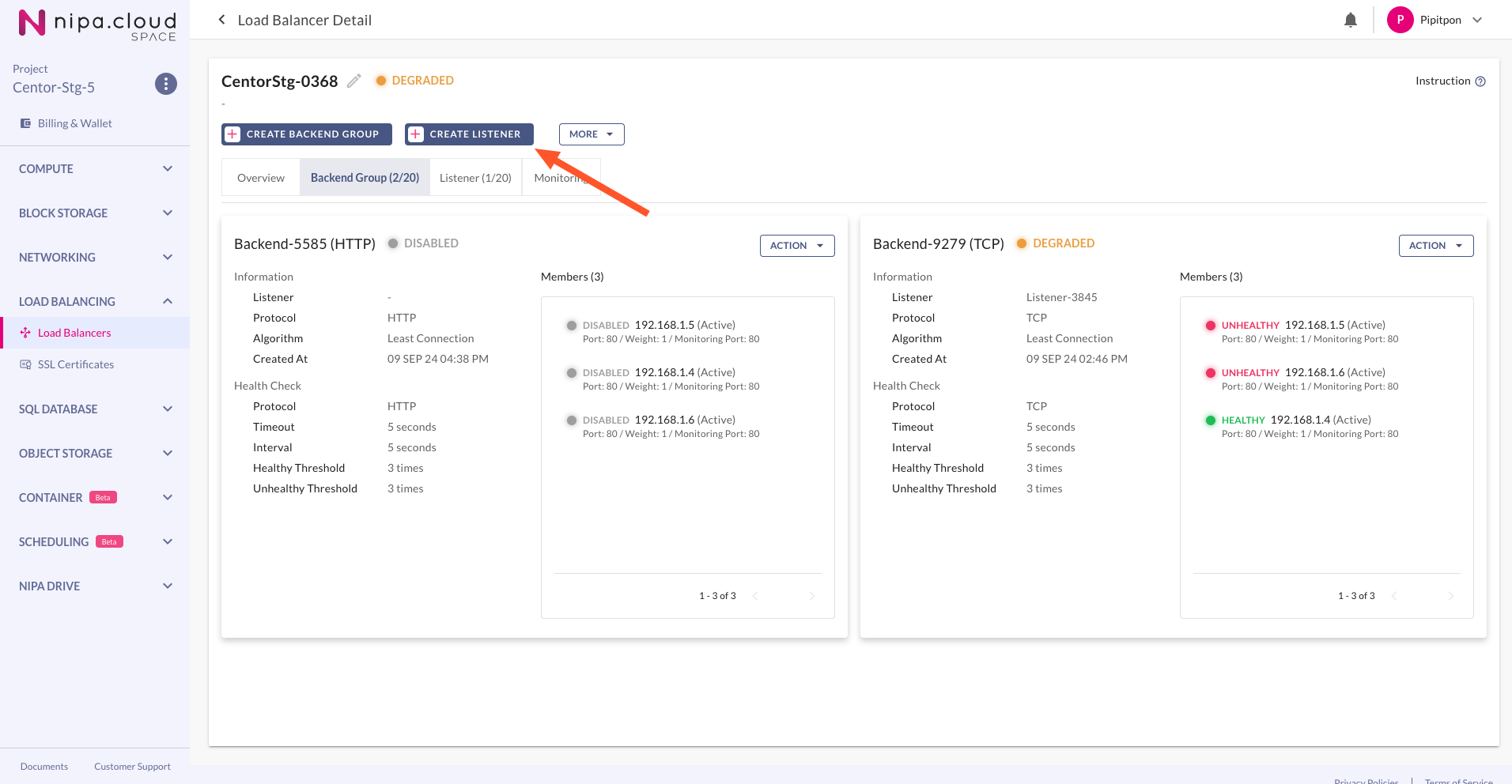
You will be taken to the Load Balancer Detail page under the "Backend Group" tab. Wait until the Load Balancer's status is no longer "Updating," then click the **CREATE LISTENER** button.

<figure><img src="https://content.gitbook.com/content/4csDFrNQz0Q4tDnx3xyT/blobs/1MeVoq55JygaWqTCxK4p/image.png" alt=""><figcaption><p>Load Balancer Backend Group - Create Listener Button</p></figcaption></figure>

### 6. **Configure the Listener**

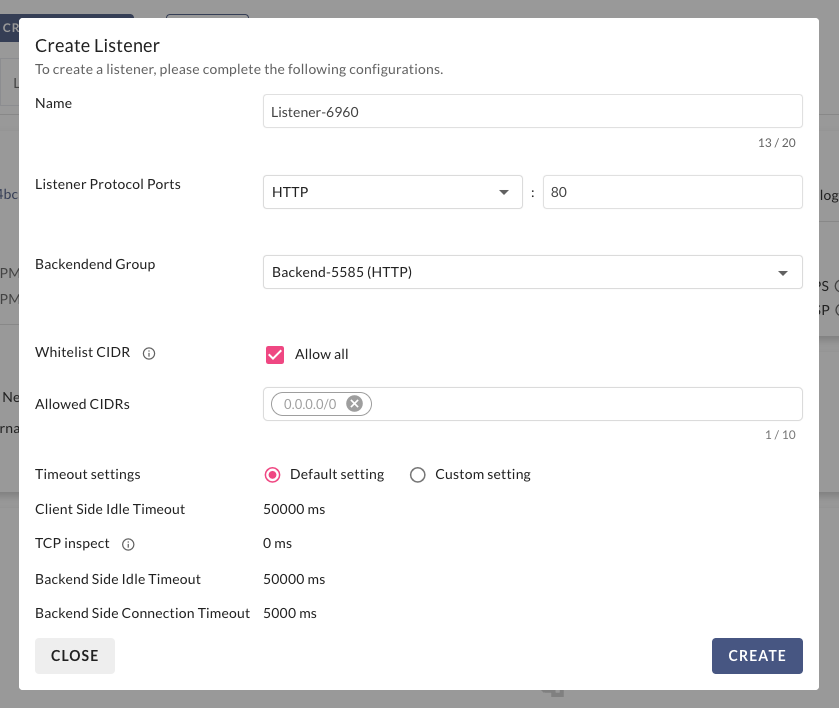
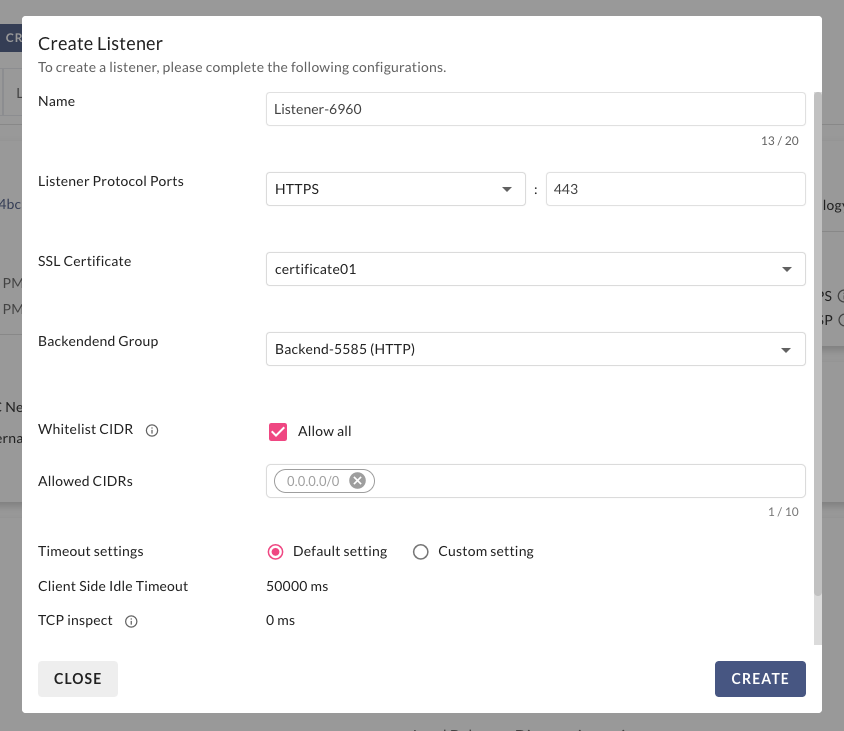
On the "Create Listener" page, set the **Protocol** to **HTTP** or **HTTPS**, define the **Port**, and select a compatible Backend Group. Configure any other settings as needed, then click **CREATE** to confirm.

<figure><img src="https://content.gitbook.com/content/4csDFrNQz0Q4tDnx3xyT/blobs/WSuHCsOT1EswoW2zlQ19/image.png" alt=""><figcaption><p>Create HTTP Listener</p></figcaption></figure>

If you select HTTPS as the protocol, you must also specify the SSL Certificate that will be used for terminating the HTTPS connection at this listener.

<figure><img src="https://content.gitbook.com/content/4csDFrNQz0Q4tDnx3xyT/blobs/Fm8Hmcu3H3tybrOScODu/image.png" alt=""><figcaption><p>Create HTTPS Listener</p></figcaption></figure>

### 7. **Wait for the Listener to be created**

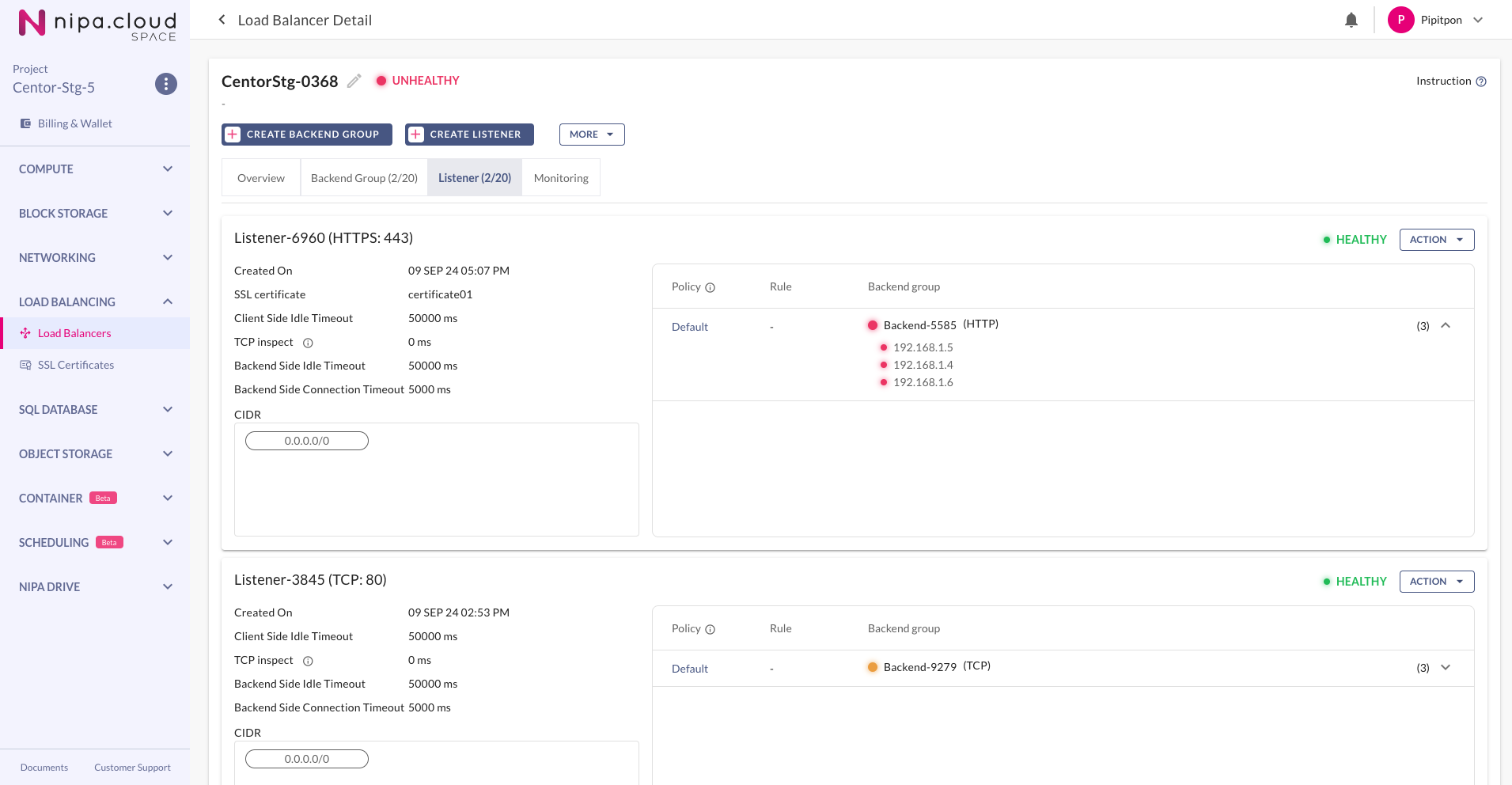
Wait until the Load Balancer's status is no longer "Updating." The setup is now complete. At this point, if traffic arrives at this Load Balancer's VIP or External IP on the same port as the newly created listener, it will be forwarded to one of the members of the associated Backend Group according to the selected algorithm.

<figure><img src="https://content.gitbook.com/content/4csDFrNQz0Q4tDnx3xyT/blobs/OxYHPmTjcttEOrbCE9Li/image.png" alt=""><figcaption><p>Load Balancer Listener</p></figcaption></figure>

{% hint style="info" %}
You can repeat these steps to handle traffic for other protocols and ports. A single Load Balancer can perform both Network Load Balancing and Application Load Balancing, depending on the configuration of its Backend Groups and Listeners.
{% endhint %}