# Create an Object Storage Sub-User
## Prerequisite
* The project's wallet balance must be greater than 0 ([see how to top up a project's wallet](https://docs-epc.gitbook.io/ncs-documents/ncs-documents-en/nipa-cloud-space-overview/billing-and-wallet/topup-a-project-wallet)).
## Instructions
### 1. **Enter the Project**
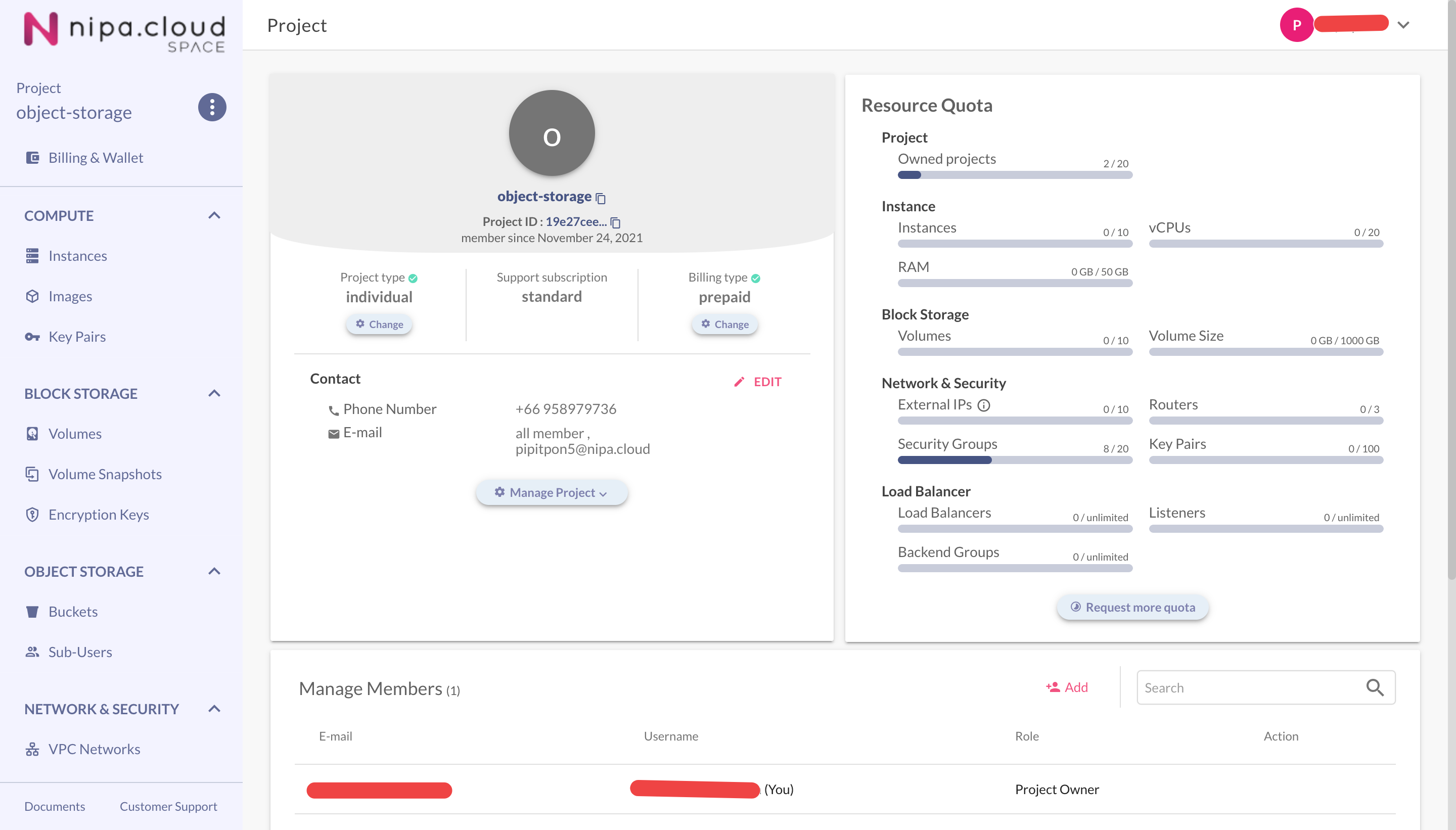
Select a project from the Projects Management page to go to its Project Detail page.
Project Detail Page
### 2. **Go to the Object Storage - Sub-User Page**
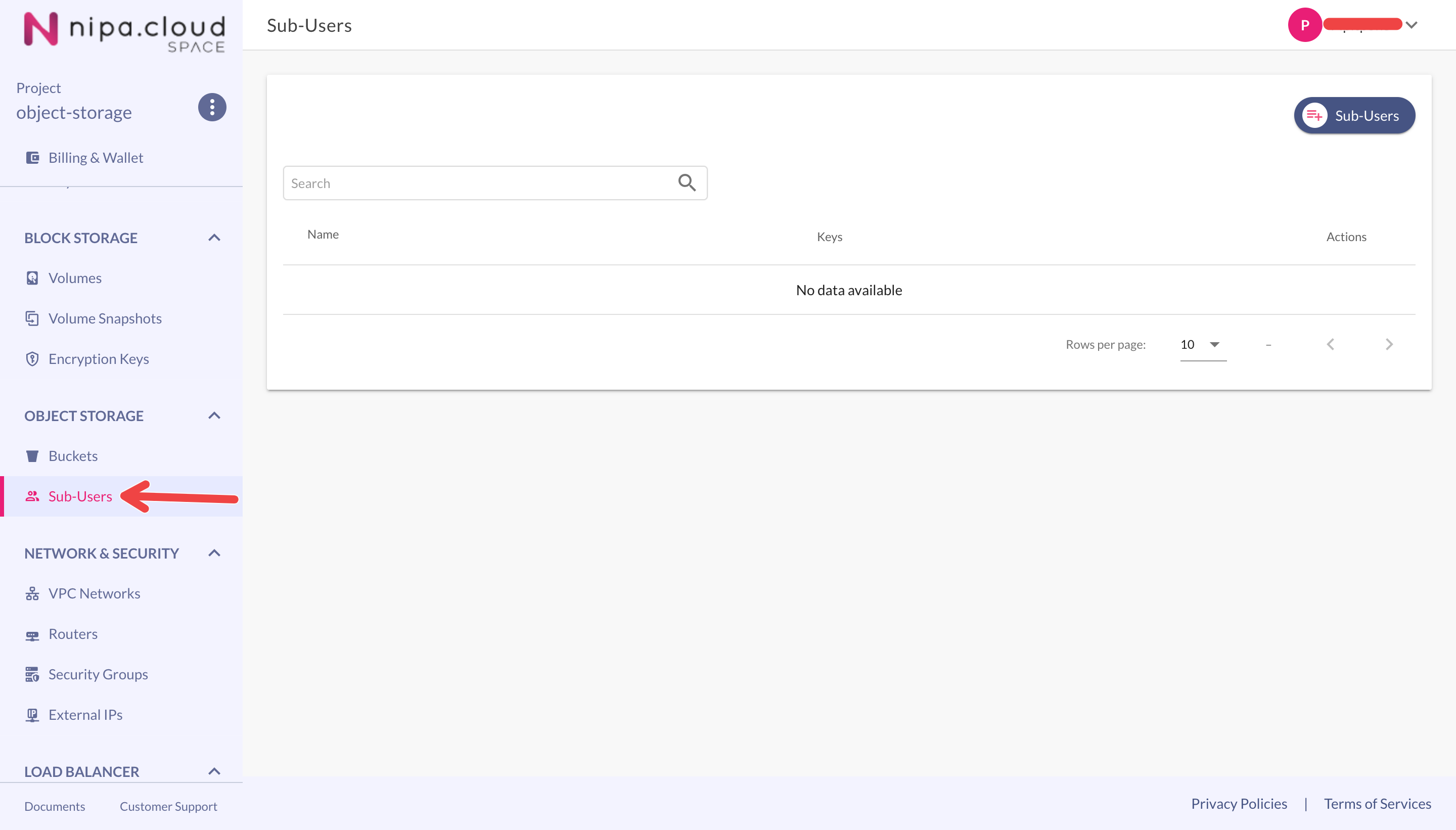
Select the **Sub-Users** menu under the **OBJECT STORAGE** group to go to the sub-users page.
Object Storage Sub-Users Page
### 3. **Create a Sub-User**
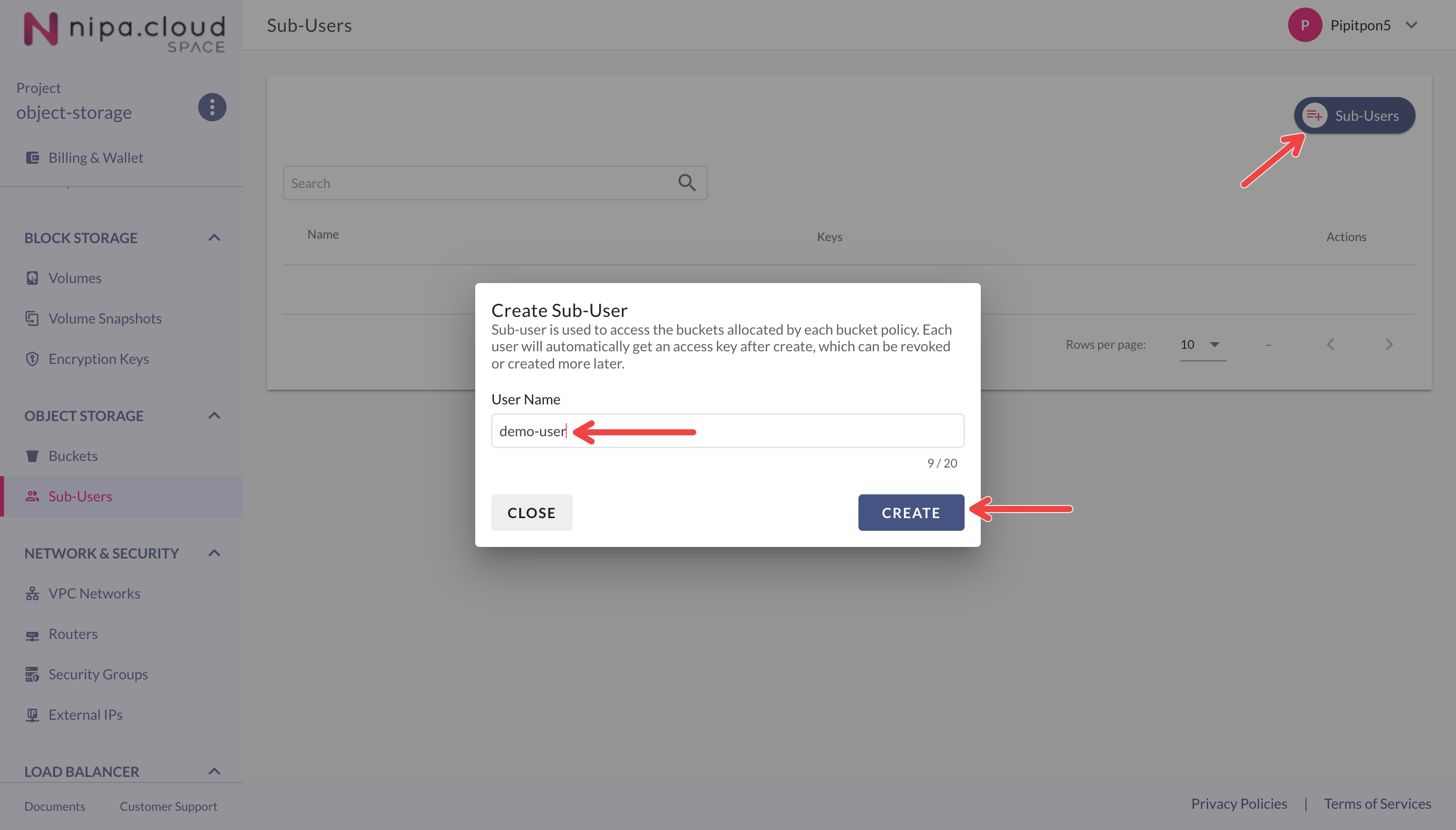
Click the **"+Sub-User"** button in the top-right corner of the Sub-Users page to open the create sub-user menu.
Enter a name for the sub-user and click the **CREATE** button.
Create Sub-User
### 4. **Save the Access ID and Secret Key**
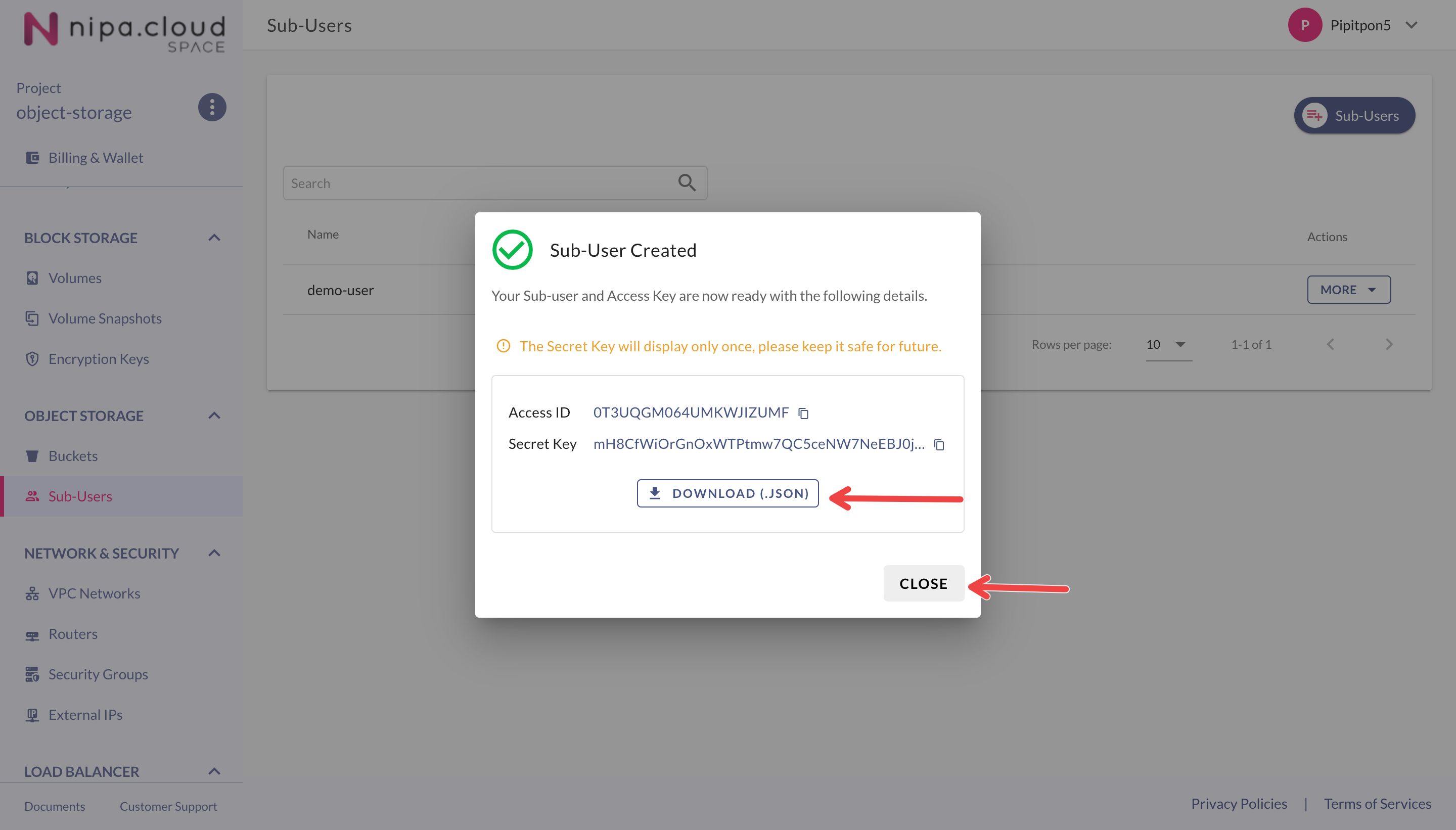
After creating the sub-user, the system will display its Access ID and Secret Key. **The Secret Key will only be shown this one time.**
* Click the **DOWNLOAD (.JSON)** button to download and save this information securely.
* Click **CLOSE** to close the window.
You now have a sub-user that can be used to authenticate to a bucket, provided the bucket's ACL is set to "authenticated-read" or a policy is added to grant this sub-user access.