> For the complete documentation index, see [llms.txt](https://docs-epc.gitbook.io/ncs-documents/llms.txt). Markdown versions of documentation pages are available by appending `.md` to page URLs; this page is available as [Markdown](https://docs-epc.gitbook.io/ncs-documents/backup-and-restore/backup-plan/delete-backup-plan.md).
# Delete Backup Plan
ลบ Backup Plan
## Prerequisite
1. ต้องมียอดคงเหลือใน Project มากกว่า 0 บาท หากไม่มีเงินอยู่ใน Project ศึกษาวิธีเติมเงินได้ที่ [ขั้นตอนการเติมเงินเข้าสู่ Project](/ncs-documents/nipa-cloud-space-overview/billing-and-wallet/topup-a-project-wallet.md)
2. มี Backup Plan ที่ต้องการลบ
## Instructions
### 1. **เข้าสู่ Project**
เข้าสู่ NCS Project ที่ต้องการสร้าง Backup
 ### 2. เข้าหน้า Backup Plan
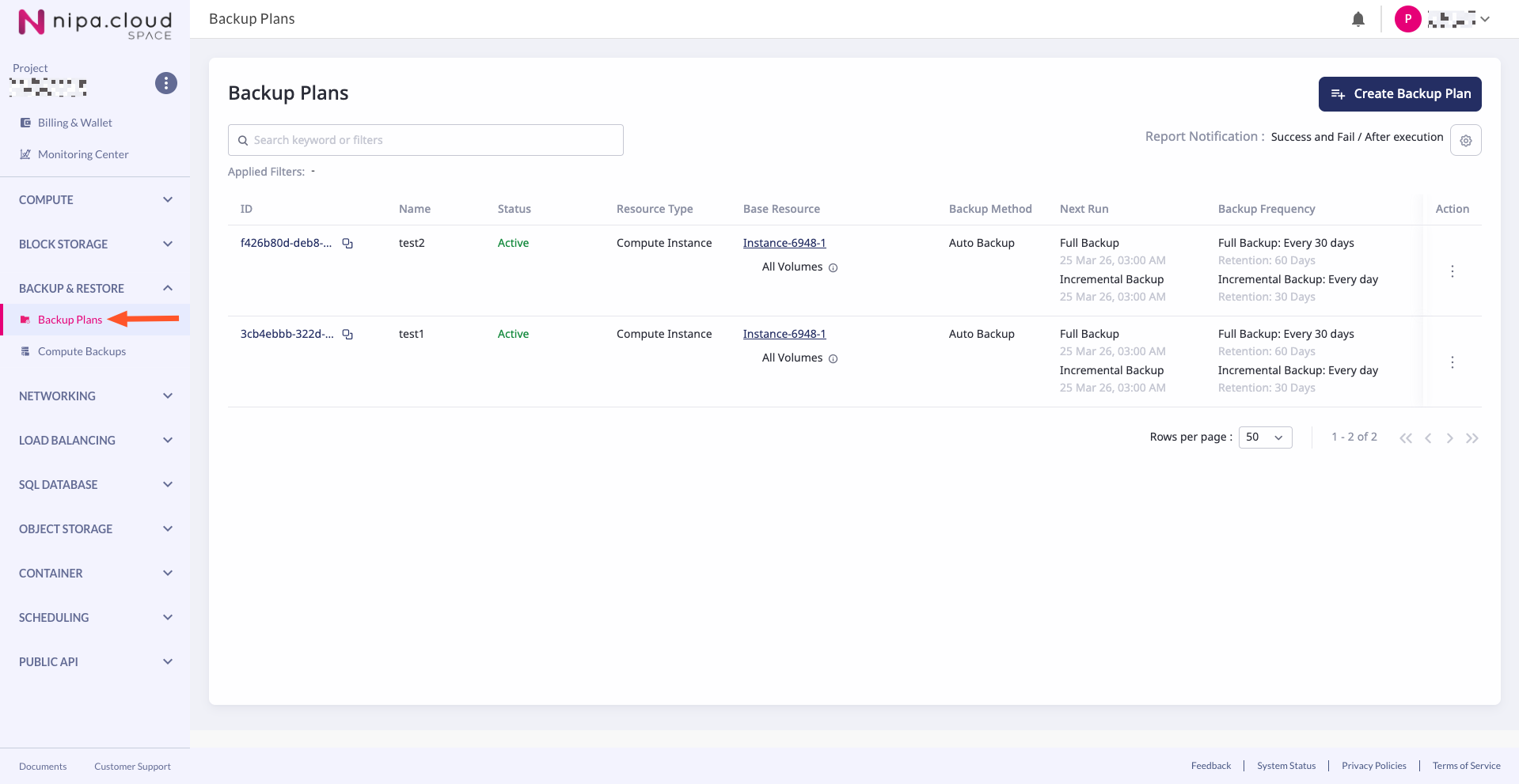
ที่ Sidebar เลือก Service Group "BACKUP & RESTORE" และ Service "Backup Plans"
### 2. เข้าหน้า Backup Plan
ที่ Sidebar เลือก Service Group "BACKUP & RESTORE" และ Service "Backup Plans"
 ### **3. เข้าหน้า Delete Backup Plan**
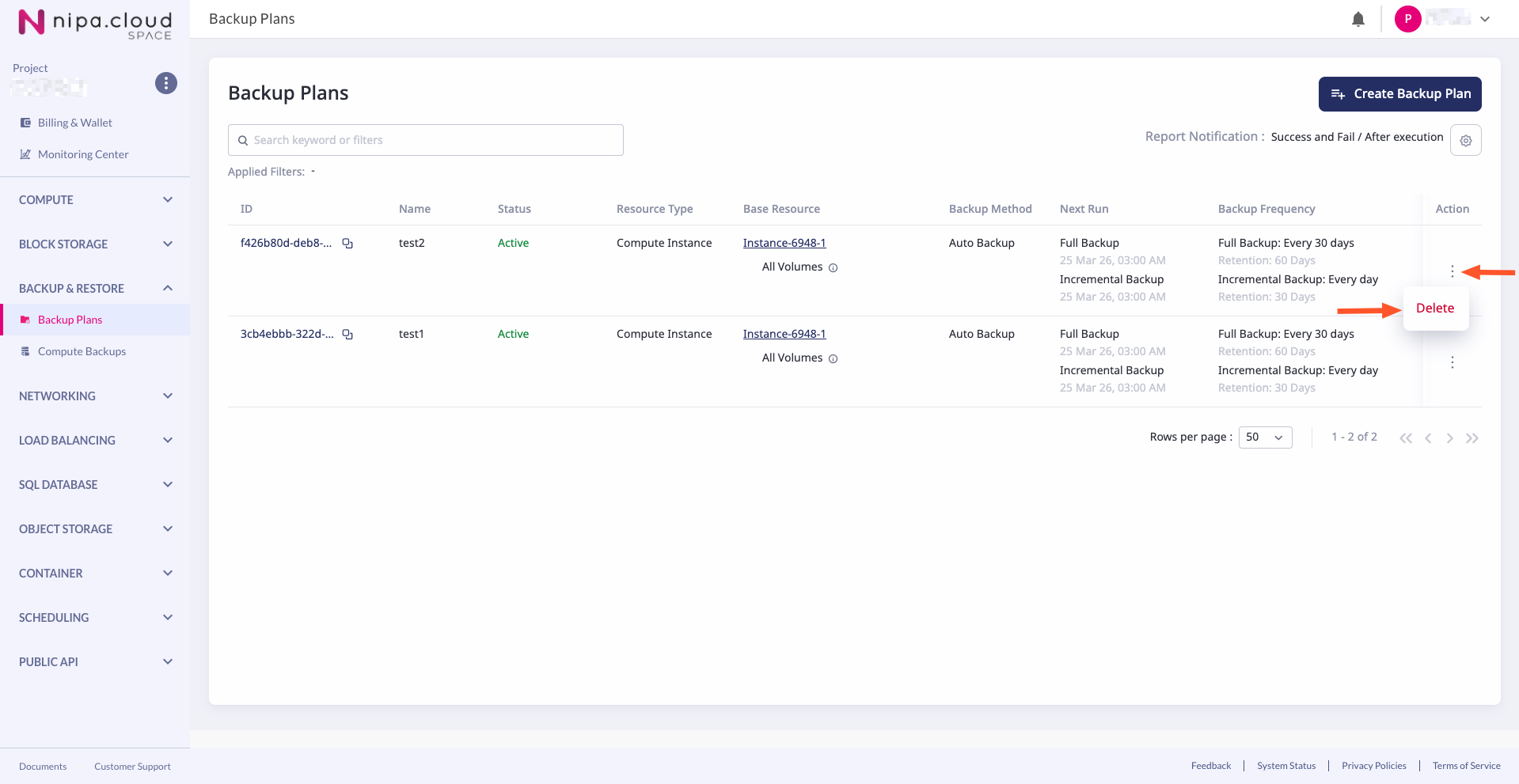
ที่หน้า Backup & Restore - Backup Plan ในรายการ Backup Plan ที่ต้องการลบ เลือก "Action - Delete"
### **3. เข้าหน้า Delete Backup Plan**
ที่หน้า Backup & Restore - Backup Plan ในรายการ Backup Plan ที่ต้องการลบ เลือก "Action - Delete"
 ### **4. Review และ Confirm**
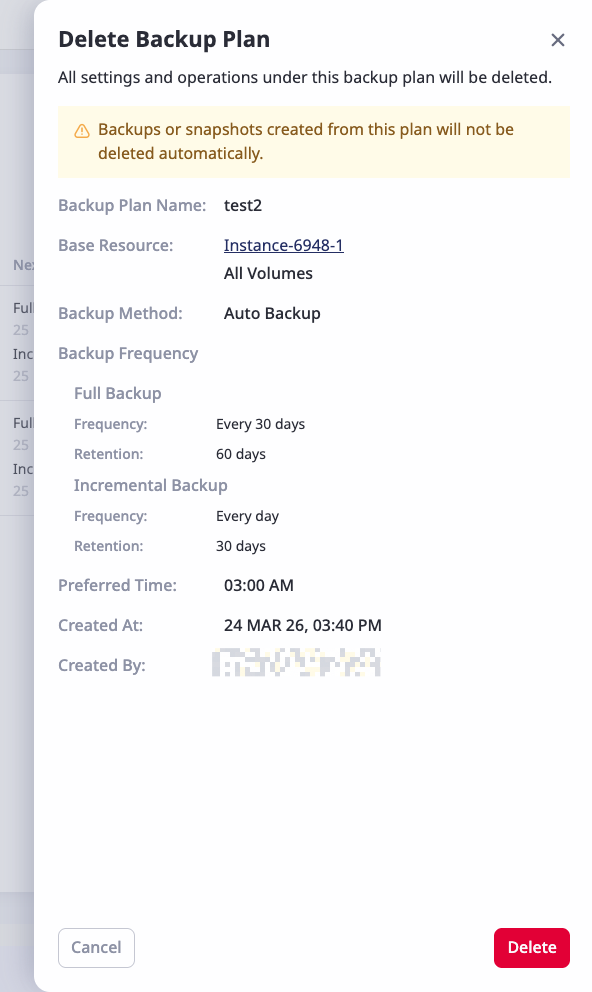
ตรวจสอบข้อมูลของ Backup Plan และยืนยันการลบ
### **4. Review และ Confirm**
ตรวจสอบข้อมูลของ Backup Plan และยืนยันการลบ
 {% hint style="info" %}
Compute Backup ที่ถูกสร้างจาก Backup Plan นี้จะไม่ถูกลบไปพร้อมกับ Backup Plan หากต้องการลบ จะต้องเข้าไปลบเอง [เรียนรู้เพิ่มเติม](/ncs-documents/backup-and-restore/compute-backup/delete-compute-backup.md)
{% endhint %}
### **5. สำเร็จ**
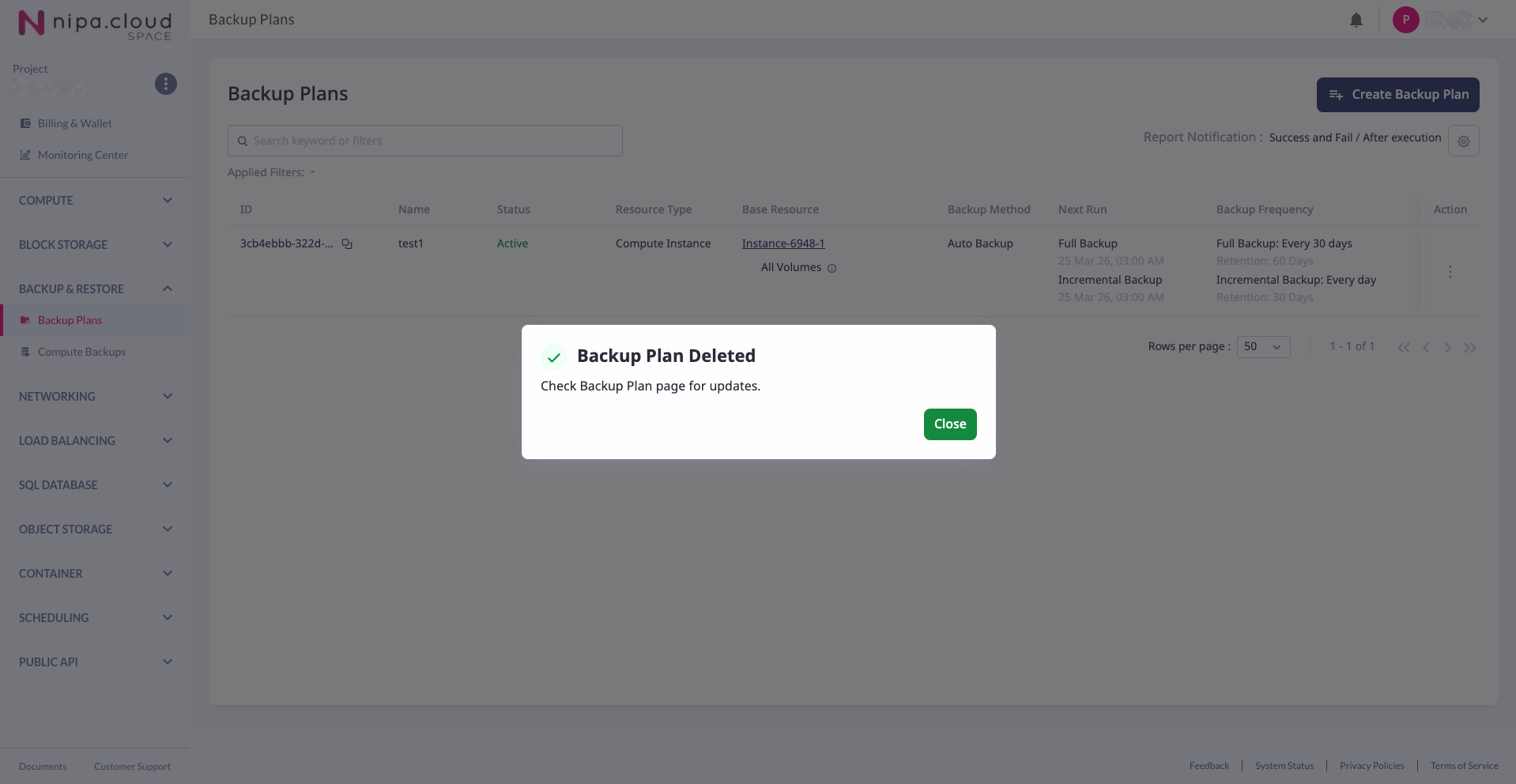
ระบบจะพาไปที่หน้า "Backup & Restore - Backup Plan" และ Backup Plan ที่ถูกลบ จนหายไปจากรายการในที่สุด
{% hint style="info" %}
Compute Backup ที่ถูกสร้างจาก Backup Plan นี้จะไม่ถูกลบไปพร้อมกับ Backup Plan หากต้องการลบ จะต้องเข้าไปลบเอง [เรียนรู้เพิ่มเติม](/ncs-documents/backup-and-restore/compute-backup/delete-compute-backup.md)
{% endhint %}
### **5. สำเร็จ**
ระบบจะพาไปที่หน้า "Backup & Restore - Backup Plan" และ Backup Plan ที่ถูกลบ จนหายไปจากรายการในที่สุด